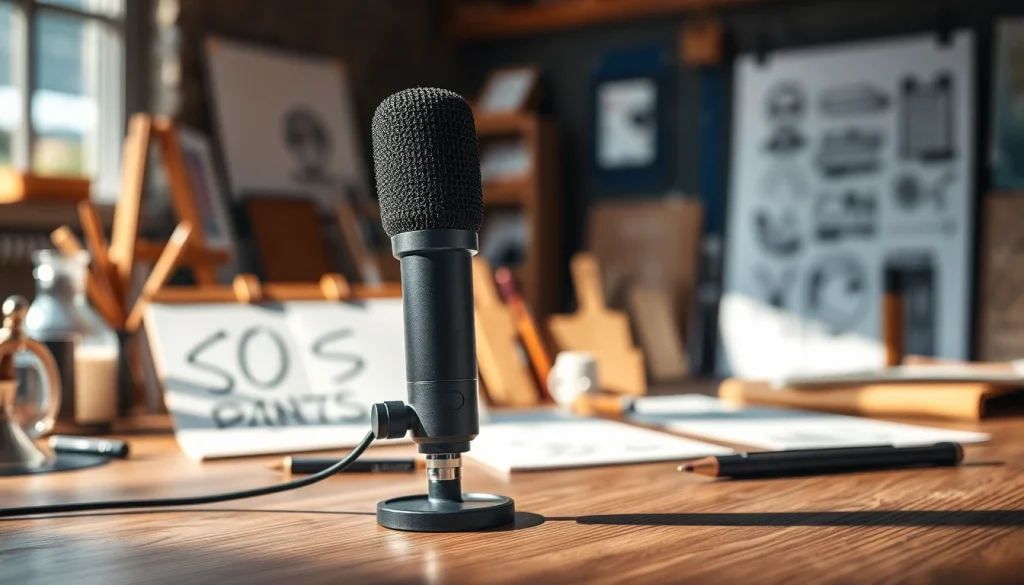
Understanding the MV88 Microphone
The MV88 Microphone, crafted by Shure, stands out in the realm of portable audio recording devices. Designed with an emphasis on functionality and portability, this microphone has become a favorite among content creators, podcasters, and musicians alike. With its ability to produce professional-quality audio in a compact form, it’s no wonder that the MV88 is a game-changer in the industry. In this article, we will delve into what makes the MV88 unique, explore its technical specifications, and discuss ideal use cases for this innovative mic.
What Makes the MV88 Unique?
The MV88 distinguishes itself from traditional microphones through its versatile design and advanced technology. It is a stereo condenser microphone that can easily connect to iOS devices and includes a Lightning connector, making it incredibly user-friendly for mobile recording. One of its standout features is its ability to adjust the polar pattern, allowing users to choose between mono and stereo recordings based on the audio environment. This flexibility, combined with the built-in digital signal processing, ensures that recordings are clear and balanced, even in challenging acoustic situations.
Technical Specifications
The specifications of the MV88 are as impressive as its performance:
- Transducer Type: Condenser
- Connectivity: Lightning connector compatible with iOS devices
- Frequency Response: 20 Hz to 20 kHz
- Signal-to-Noise Ratio: 90 dB
- Dynamics Range: 120 dB
- Operating Range: Requires iOS 7.0 or higher
- Polar Patterns: Adjustable between cardioid and bidirectional
- Weight: 1.4 oz (40 g)
These specifications make the MV88 not only suitable for casual use but also capable of meeting the high demands of professional audio recording.
Ideal Use Cases for the MV88
The MV88 is designed for a variety of scenarios. Here are some of the most ideal use cases:
- Podcasting: The MV88 excels in capturing clear dialogue, making it a perfect companion for podcasters.
- Music Recording: Musicians can use it to record vocals and instruments seamlessly, thanks to its stereo capabilities.
- Field Recording: Its portable design allows for easy setup in various environments, making it suitable for documentary work or capturing ambient sounds.
- Video Production: As more videographers seek high-quality audio to complement visuals, the MV88 proves to be a solid choice for interviews and other mobile shooting scenarios.
Setting Up Your MV88 for Optimal Performance
Getting the best performance out of your MV88 starts with proper setup. In this section, we will discuss unboxing and assembly tips, connecting the microphone to devices, and how to adjust settings for various recording environments.
Unboxing and Assembly Tips
When you first receive your MV88, take a moment to carefully unbox it. Ensure that you have all the components, including the microphone, windscreen, and any mounting hardware. Here are some tips for assembly:
- Inspect for any signs of damage or missing parts right after unboxing.
- Use the provided windscreen when recording outdoors to minimize wind noise, especially in breezy conditions.
- Consider using a tripod or stand to securely mount the MV88, particularly when recording for extended periods.
Connecting to Your Devices
Connecting the MV88 is straightforward thanks to its Lightning connector. To get started:
- Remove any case on your iOS device that may obstruct the connection.
- Plug the MV88 directly into the Lightning port of your iPhone or iPad.
- Open your audio recording app and select the MV88 as your input device.
Most recording apps will automatically detect the MV88 and allow you to start recording without additional configuration.
Adjusting Settings for Different Environments
One of the MV88’s strengths is its adjustable settings, which enhance its adaptability. When recording in different environments, consider these adjustments:
- Polar Pattern: Switch between cardioid for focused sound in controlled spaces and bidirectional for capturing sound from two directions during interviews.
- Gain Settings: Adjust the gain level through the ShurePlus MOTIV app to prevent distortion and ensure optimal audio clarity during recording.
- EQ Adjustments: Use the app to access built-in equalization settings tailored to different sound environments.
Best Practices for Recording with MV88
To maximize the quality of your recordings with the MV88, consider the following best practices regarding microphone placement, accessory usage, and common mistakes.
Microphone Placement Techniques
Correct microphone placement is vital for achieving high-quality audio. Here are some effective placement techniques to consider:
- Keep the MV88 within 6 to 12 inches from the sound source for optimal clarity.
- Aim the microphone directly at the source of sound to enhance volume and reduce background noise.
- For interviews, position multiple MV88 microphones to ensure each speaker is equally captured.
Using Accessories for Enhanced Sound
The MV88 can be used in conjunction with various accessories to improve sound quality further:
- Windscreen: Essential for outdoor recordings, it mitigates wind noise and maintains clarity.
- Shock Mount: This keeps the MV88 stable and minimizes handling noise when moving or adjusting during recordings.
- Pop Filter: Utilizing a pop filter can enhance vocal recordings by minimizing plosive sounds, resulting in a cleaner audio output.
Common Recording Mistakes to Avoid
To ensure success with the MV88, be mindful of these common recording pitfalls:
- Recording in a noisy environment—always try to find a quiet space to minimize distractions.
- Neglecting to monitor audio levels can lead to distortion; always use headphones to listen while recording.
- Failing to adjust microphone settings based on the recording environment can result in poor sound quality.
Editing and Finalizing Your Audio Files
Post-recording, the editing phase is crucial for refining your audio. This section will cover recommended software for editing, cleaning up audio, and mastering techniques for professional results.
Recommended Software for Editing
Choosing the right software is vital for enhancing your audio files. Here are some popular options well-suited for editing MV88 recordings:
- Audacity: A free, open-source software ideal for beginners, providing essential editing tools to improve audio quality.
- GarageBand: Perfect for macOS users, GarageBand offers a user-friendly interface with powerful audio editing and mixing capabilities.
- Adobe Audition: A professional-grade audio editing platform that provides comprehensive features for advanced users seeking quality and precision.
Tips for Cleaning Up Audio
Once you have recorded your audio, cleaning it up is essential. Here are some tips:
- Use noise reduction tools to remove consistent background sounds.
- Cut out any long pauses or mistakes to keep the final audio engaging.
- Apply compression to balance sound levels and improve overall clarity.
Mastering Techniques for Professional Results
After editing, mastering your audio is the final step before publishing:
- Ensure loudness standards are met for your intended platform (e.g., podcasts vs. music streaming).
- Utilize EQ to enhance frequencies that require focus, thus providing a more polished final product.
- Consider adding subtle effects, like reverb, to enhance the recording’s spatial quality while maintaining a natural feel.
Comparing the MV88 to Other Microphones
Understanding how the MV88 holds up against its competitors is crucial for making informed purchasing decisions. Here we explore the MV88’s strengths, user experiences, and factors to consider when choosing it over alternatives.
Strengths of the MV88 vs. Competitors
When comparing the MV88 to other microphones, several strengths stand out:
- Portability: The MV88’s compact design makes it uniquely suited for mobile use, unlike larger mics which can be cumbersome.
- Ease of Use: Its simple setup process and integration with iOS devices provide a seamless user experience that many competitors lack.
- Audio Quality: The stereo recording capability provides depth and dimension to audio that many handheld microphones struggle to replicate.
User Reviews and Experiences
User feedback consistently highlights the MV88’s ease of use, sound quality, and versatile design. Several users have reported:
- Exceptional clarity when recording vocals and instruments for music projects.
- Effective performance in noisy environments, particularly when settings are adjusted properly.
- Positive experiences with the ShurePlus MOTIV app, which enhances the recording process with its intuitive controls.
When to Choose MV88 Over Alternatives
While the MV88 is an excellent choice, there are scenarios where it truly shines compared to alternatives:
- If you are a mobile content creator or podcaster needing a microphone that travels well, the MV88’s compact size makes it ideal.
- When requiring both broad and focused recording patterns, the MV88’s adjustable polar patterns serve this versatility effectively.
- If you’re recording directly into an iOS device and desire a straightforward plug-and-play option, few competitors can match its simplicity.